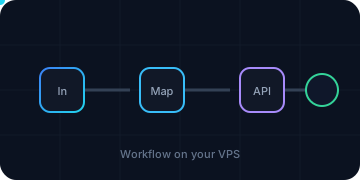
What the n8n box actually does
A small n8n installation usually has four parts:
- The n8n process, which handles webhooks, schedules, and workflow execution.
- A database, often Postgres in Docker or a managed service, sometimes SQLite for a small setup.
- A queue and worker layer if executions are long or concurrent.
- Binary data: uploaded files, images, PDFs, and execution payloads.
The first two are RAM-and-CPU modest at small scale. The last two are where disk I/O, disk space, and network port start to matter. A workflow that resizes images or moves video will feel the storage and port long before it needs more than 8 GB of RAM. A workflow that only calls APIs and writes small records will not.
The two plans, side by side
| Item | Cloud VPS 4 | Cloud VPS Plus 4 |
|---|---|---|
| vCPU | 4 | 4 AMD EPYC |
| RAM | 8 GB | 8 GB |
| Storage | 100 GB SSD | 150 GB NVMe |
| Snapshots | 1 | 5 |
| Port | 200 Mbit/s | 500 Mbit/s |
| List / 24-month price (excl. VAT) | €5.50/mo list; €4.40/mo on a 24-month term (20% off), both excl. VAT | €13.50/mo list; €10.80/mo on a 24-month term (20% off), both excl. VAT |
The price gap is about €8/month at list prices, or €6.40/month at the 24-month term prices, both excluding VAT. The exact checkout can differ by term, tax, setup fee, and add-ons.
What the extra €8 buys
NVMe instead of SSD. For database writes, Docker layers, execution history, and media scratch space, faster storage can shorten waits. It does not add RAM or vCPU count, but it does add 50 GB of storage capacity and changes the disk path from SSD to NVMe.
500 Mbit/s instead of 200 Mbit/s. If the workflow pulls or pushes large files, the port is a real limit. A 200 Mbit/s port is about 25 MB/s theoretical peak before overhead; a 500 Mbit/s port is about 62.5 MB/s. The actual rate depends on the peer, the disk, and TCP.
Five snapshots instead of one. Snapshots are useful before upgrades and risky workflow changes. One snapshot means one rollback point; five means a small history. That is an operations benefit, not a performance benefit.
AMD EPYC. The Plus line uses AMD EPYC CPUs. The plan card does not promise a per-workflow speed multiplier, and I would not buy it on the CPU brand alone. The CPU count and RAM are the same.
When Cloud VPS 4 is enough
I would keep Cloud VPS 4 when:
- The workflows are API orchestration, small webhooks, scheduled checks, and light database writes.
- Binary data is stored in external object storage, not accumulated on the VPS.
- One snapshot plus an off-server backup is enough for the change rate.
- The port is not the bottleneck: no large media transfers, no video, no big file syncs.
- The budget matters more than a faster disk path.
For that box, the €8/month difference is better spent on a backup or object storage than on a port and NVMe the workflow does not saturate.
When Plus 4 is the better buy
I would move to Plus 4 when:
- The workflow processes images, video, PDFs, or large archives on the box.
- The queue and execution history create steady database writes.
- The box needs more than one rollback point, or snapshots are part of the update routine.
- The 200 Mbit/s port is visibly limiting transfers.
- The workload is stable enough that the 24-month term fits.
The Plus 4 is still a shared-CPU VPS. It does not buy a dedicated core, a managed n8n service, or a guarantee that a workflow finishes by a deadline. If the queue is missing deadlines because of concurrency, the next question is worker design and queue partitioning, not the plan name.
What I would do
I would order Cloud VPS 4 first, run a representative workflow with the real binary sizes and concurrency, and watch four numbers: disk wait, free disk, port throughput, and snapshot usage. If the disk or port is the limit, Plus 4 is the upgrade. If RAM is the limit, neither plan fixes it; the next step is a larger Core/Performance plan or a split worker. If CPU performance is the limit, the two plans have the same core count but different platforms, so measure before assuming the Plus 4 is faster.
I would also check the setup fee line on the monthly Cloud VPS 4 order and the renewal price after the term. The plan card is not the bill.
What this does not decide
This article does not benchmark n8n on either plan, does not measure disk IOPS or port throughput, and does not test a queue under load. It compares the listed plan shapes and the decision they support.
Contabo dedicated servers. If a workload has outgrown a VPS, Contabo also sells dedicated servers. The current offer is Contabo: Powerful Dedicated Server Dual Xeon.
Sources
- Contabo Core VPS plans: https://contabo.com/en/vps/
- Contabo Performance VPS plans: https://contabo.com/en-us/vps-performance
- AiXVPS Contabo review: /providers/contabo/
- AiXVPS Contabo setup: /providers/contabo/setup/
- AiXVPS Contabo automation: /providers/contabo/ai-automation/
- AiXVPS n8n VPS hub: /use-cases/n8n-vps/